
01 · Before you lift
Walk in already knowing the plan.
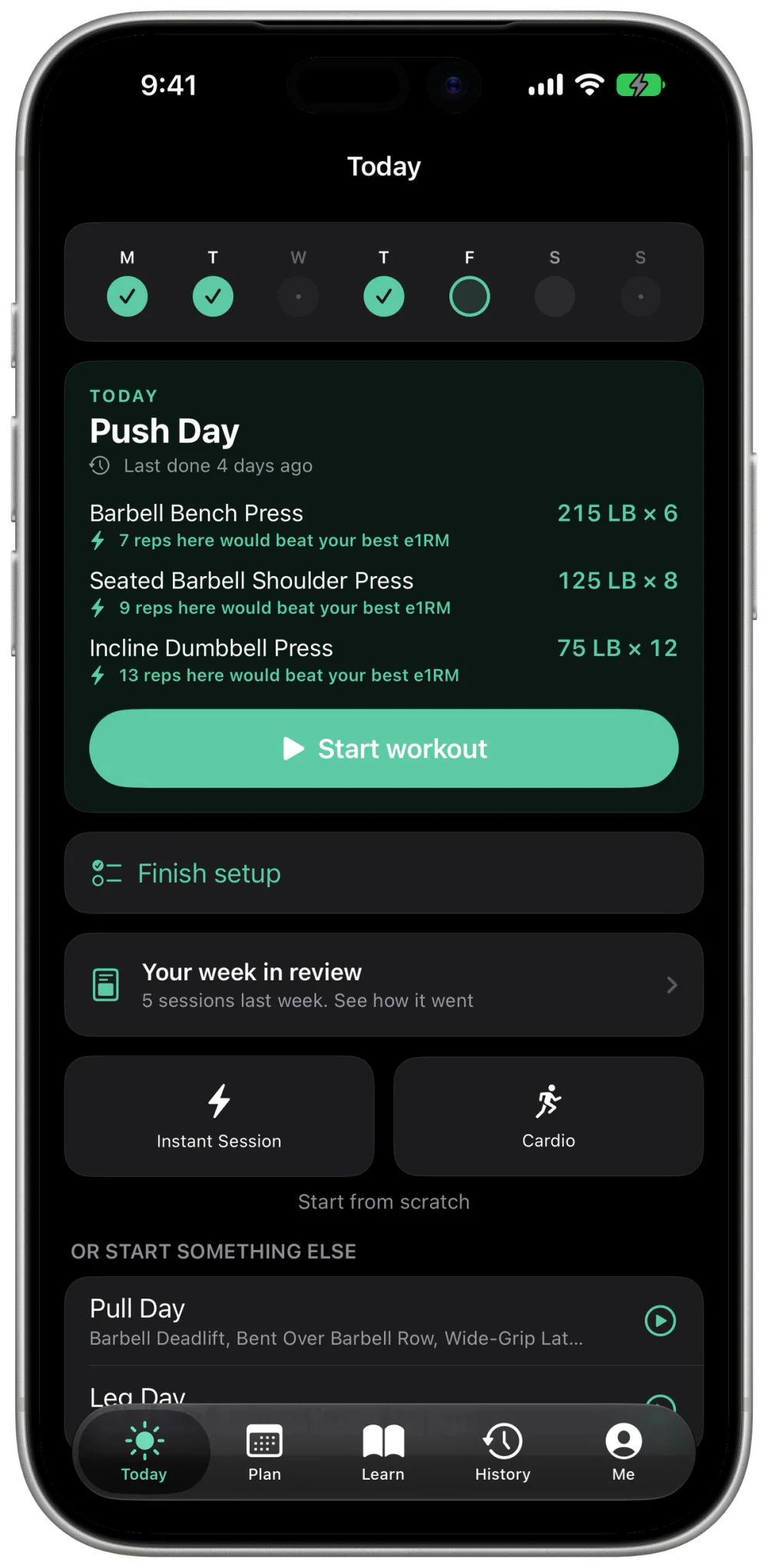
Open the app and today's session is already there: every lift loaded with the weight you should attempt, pulled from what you actually did last time. When a set would beat your best, it tells you before you take the bar.
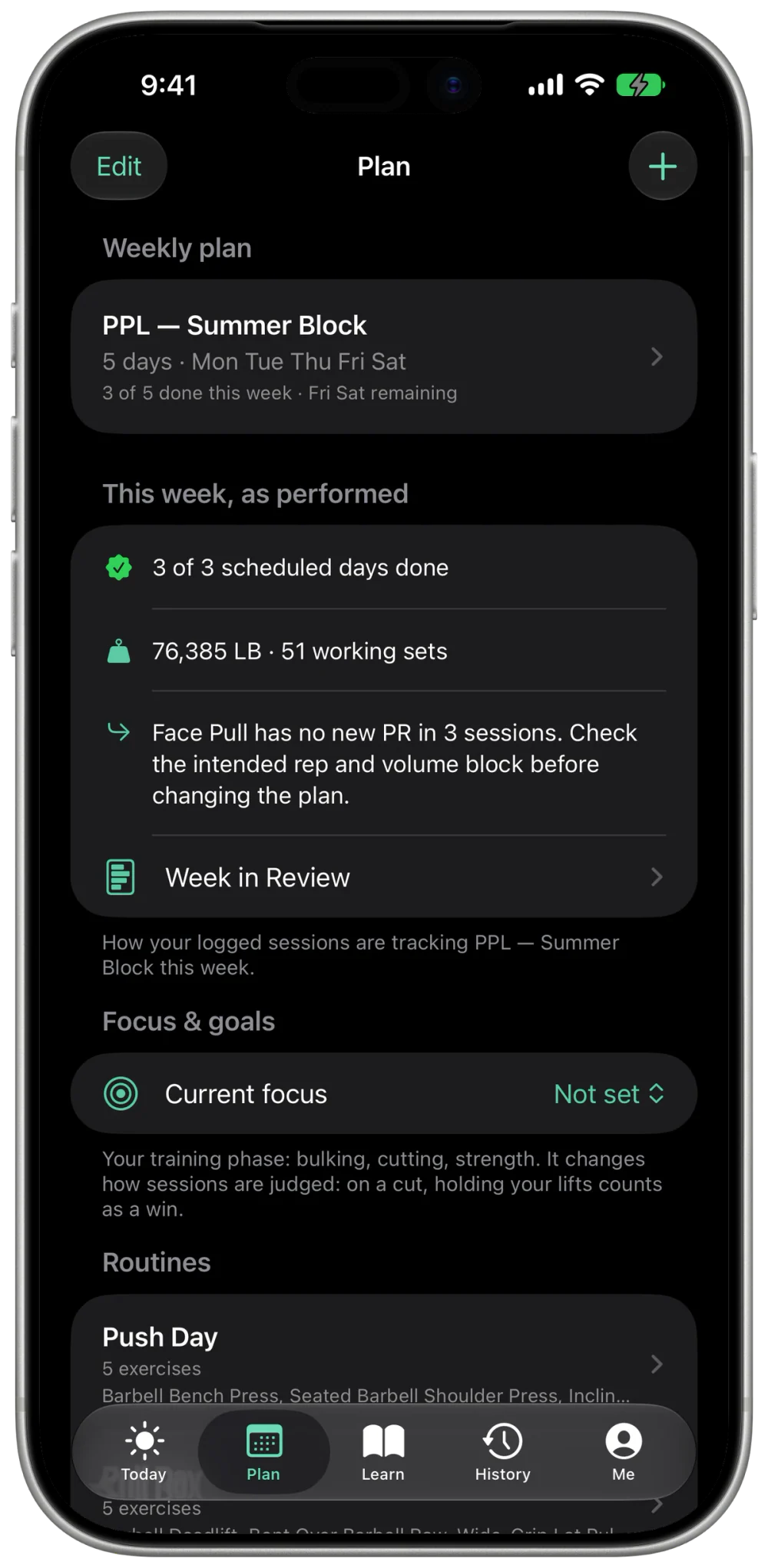
- Weekly plan on a calendar. Assign routines to weekdays, and missed days roll forward instead of silently vanishing.
- Generated from your goal: strength, muscle, or general, 3–7 days, built around the equipment your gym actually has.
- Short on time? Tell it you have 40 minutes and get a session that fits, starting weights included.
02 · While you lift
Logging that keeps up with the bar.
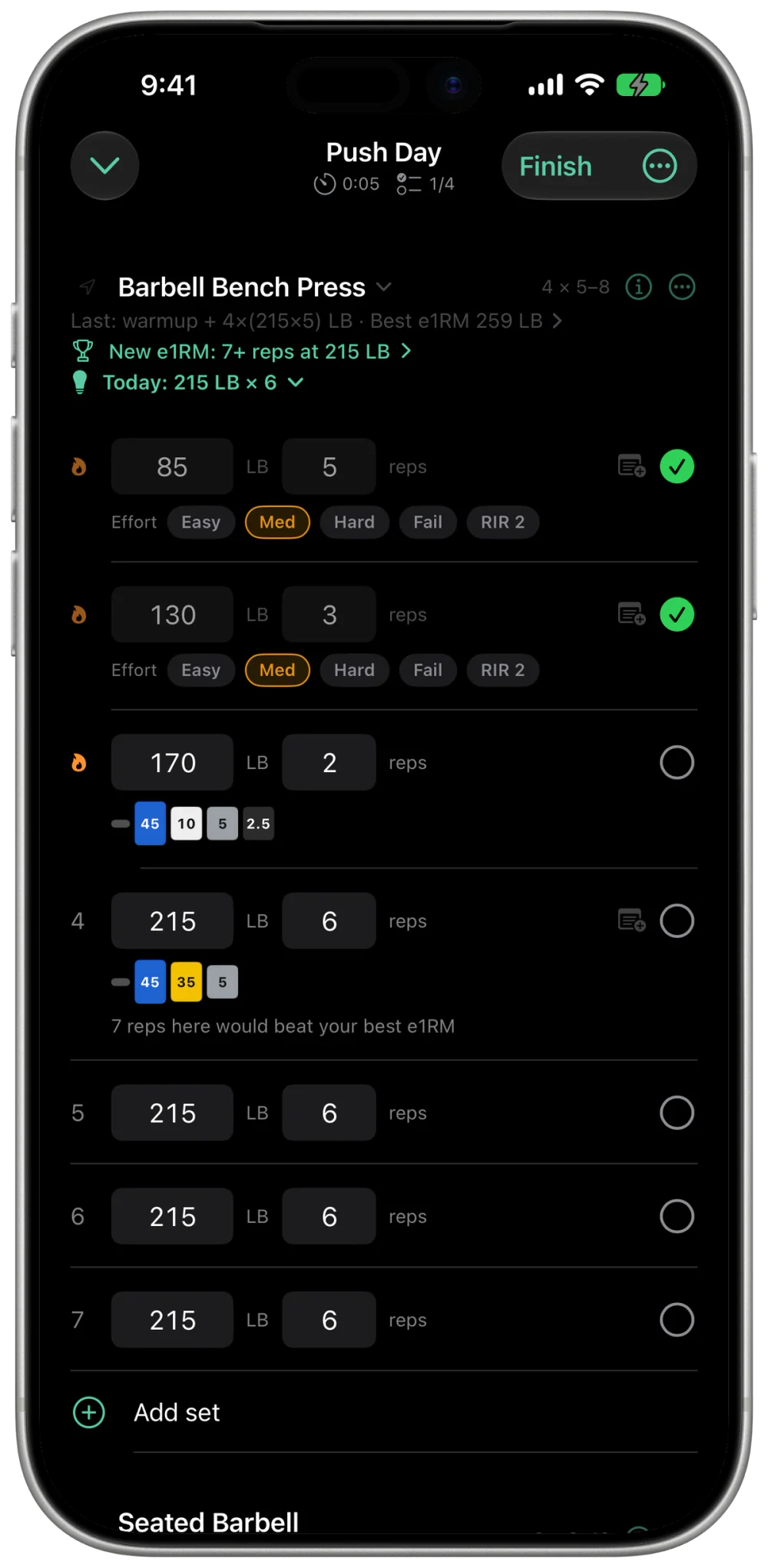
Every set is pre-filled from your last session, so most of them are one tap. The plate math is done for you, rest starts itself, and the Lock Screen keeps the timer in view without unlocking anything.
- The plate math is done for you. 215 lb reads as 45 · 35 · 5 a side.
- Effort in one tap: Easy, Med, Hard, or Fail after a set, and it feeds next week's targets.
- Mid-session freedom. Swap a taken machine, add a lift, reorder, superset; the log keeps up.
- A rest timer with cues, plus a Live Activity on the Lock Screen.
03 · After you lift
Honest about how it went.
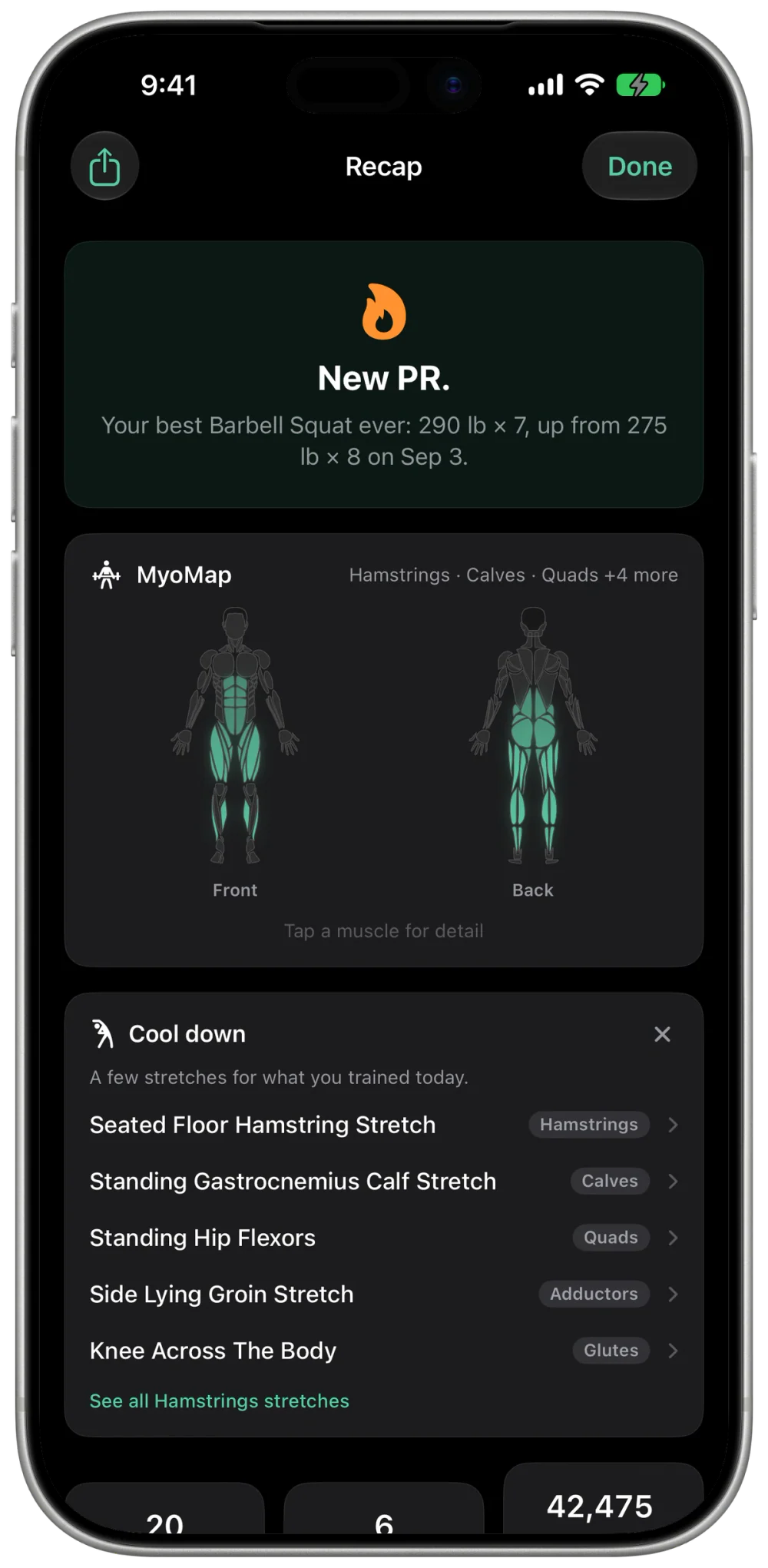
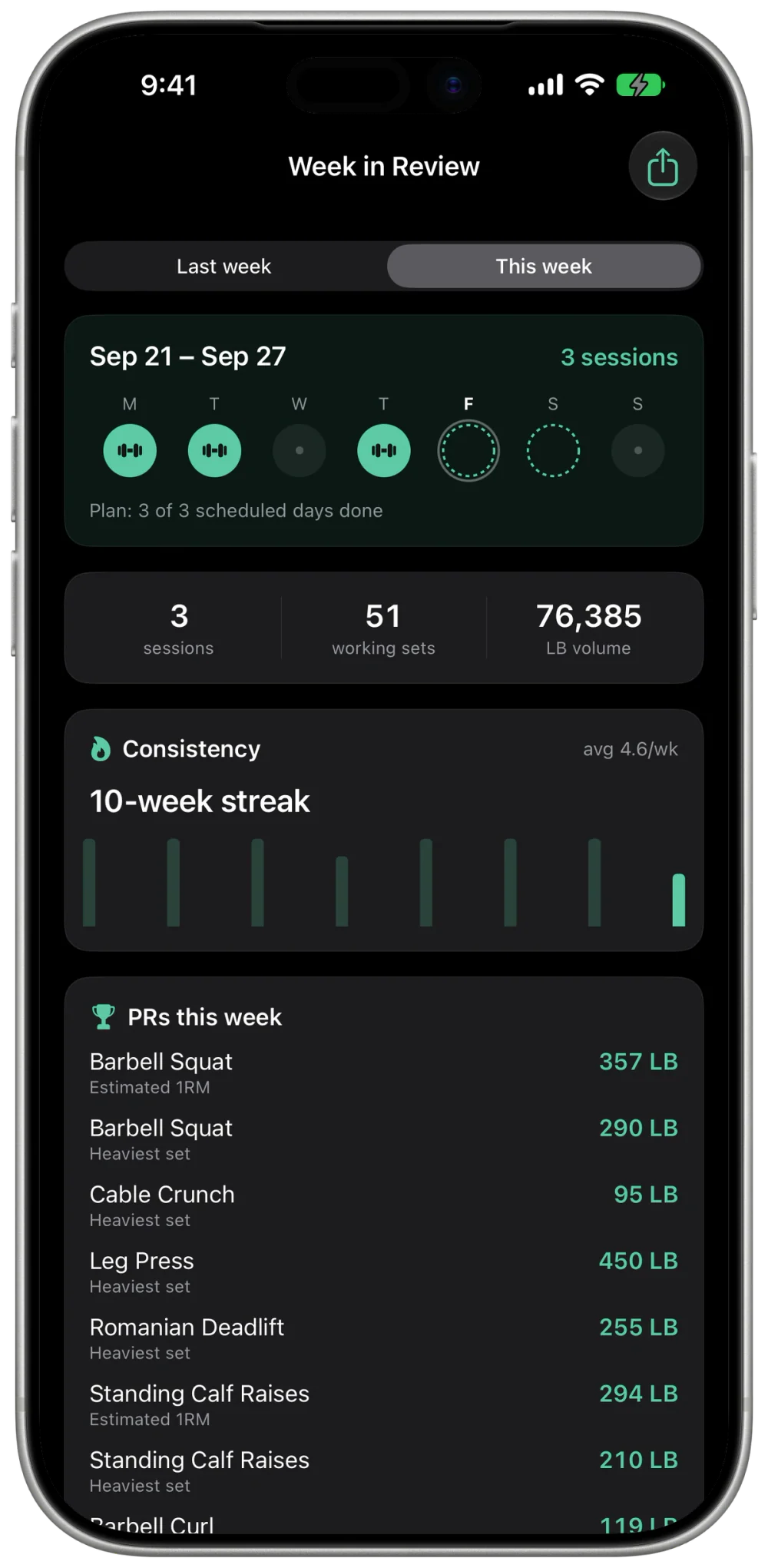
The week in review reads like a coach who watched: sessions, sets, tonnage, whether you kept to the plan, which PRs landed. The finish screen gives you a verdict you earned: no confetti for a phoned-in day, full credit for a real one.
- MyoMap: a body heatmap of what you trained this week, and what you quietly didn't.
- Stall detection flags lifts that stopped moving, with a concrete way out.
- Strength standards show where your big lifts sit for your bodyweight, beginner to elite.
3 of 3 scheduled days ✓
76,385 lb moved
PR: Squat 290 lb × 7
04 · Agent-first by design
Bring your own coach.
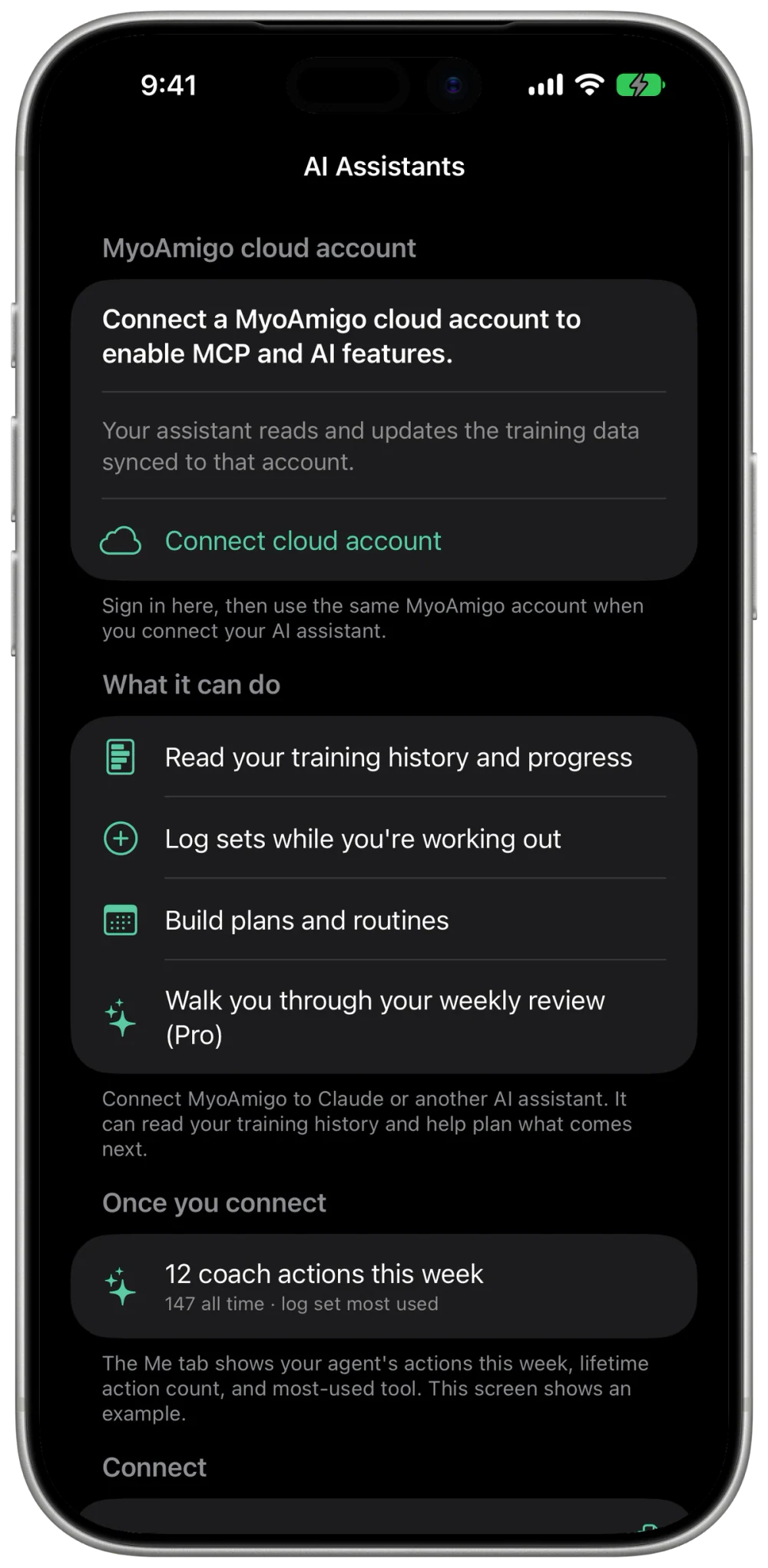
MyoAmigo's backend speaks MCP, the open protocol AI assistants use to reach real apps. Connect the assistant you already pay for and it can read your history, spot trends, and write routines that land in the app, ready to run.
Works with Claude
ChatGPT
Gemini
You, via your assistant
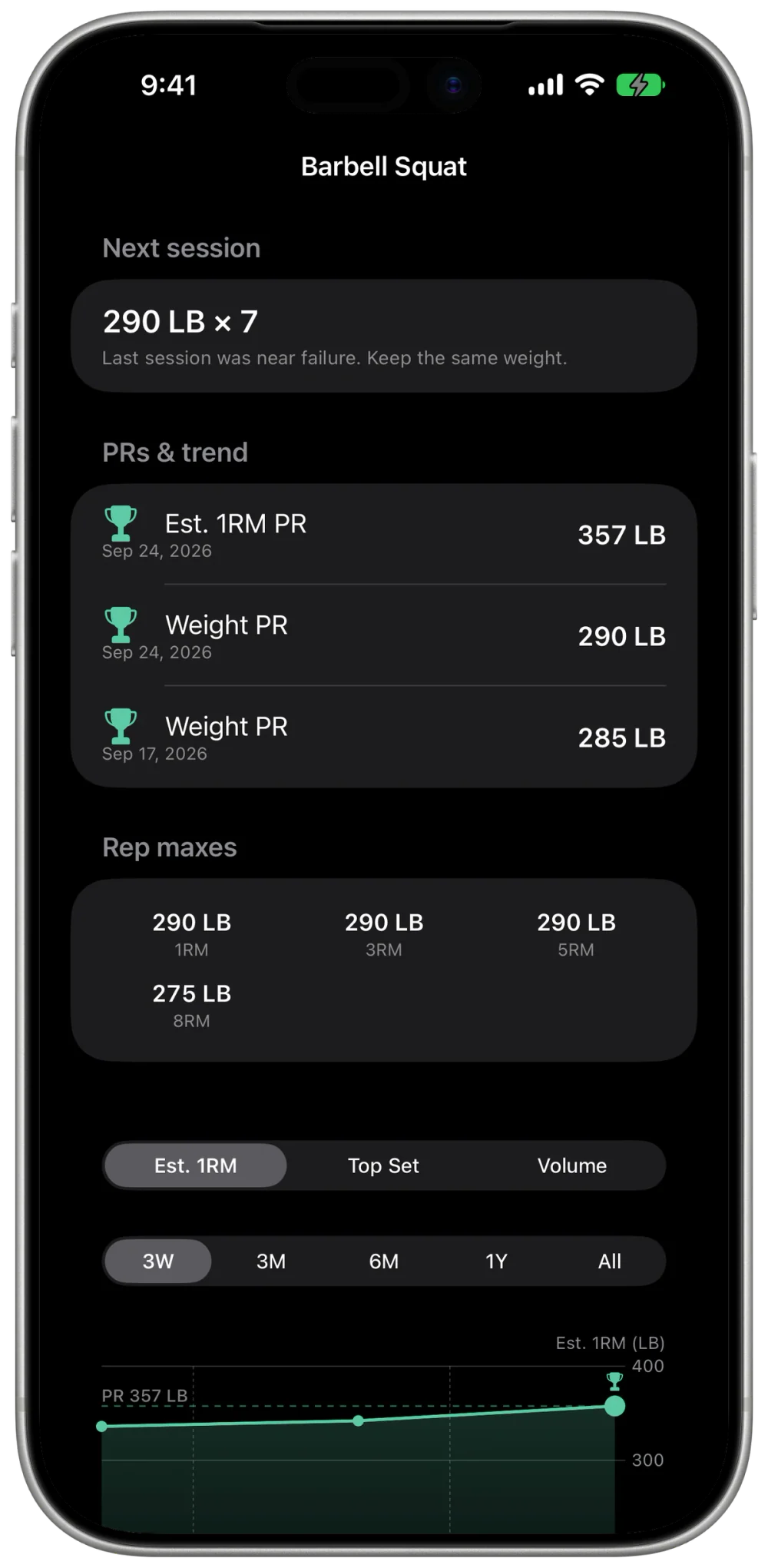
How's my squat moving this block?
Coach
Top set went 245 → 290 lb over ten weeks and estimated 1RM is at 357 lb, a fresh PR. Last week you hit all five scheduled days.
You
Build next week around that.
Coach
Done. "Leg Day, week 11" is in your routines with a 295 lb top set and back-offs at 80%.
Routine synced → appears in the app, ready to run
05 · On your wrist
Leave the phone in the bag.
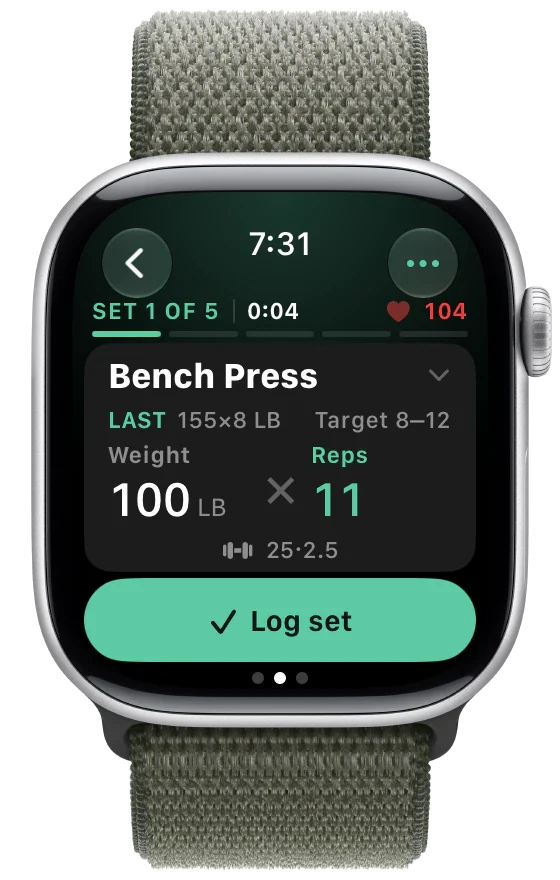
The whole session runs from the watch: dial reps with the crown, log with a tap, rest ring between sets. Heart rate is stamped on every set. No phone, no signal, no problem. It syncs when you're back.
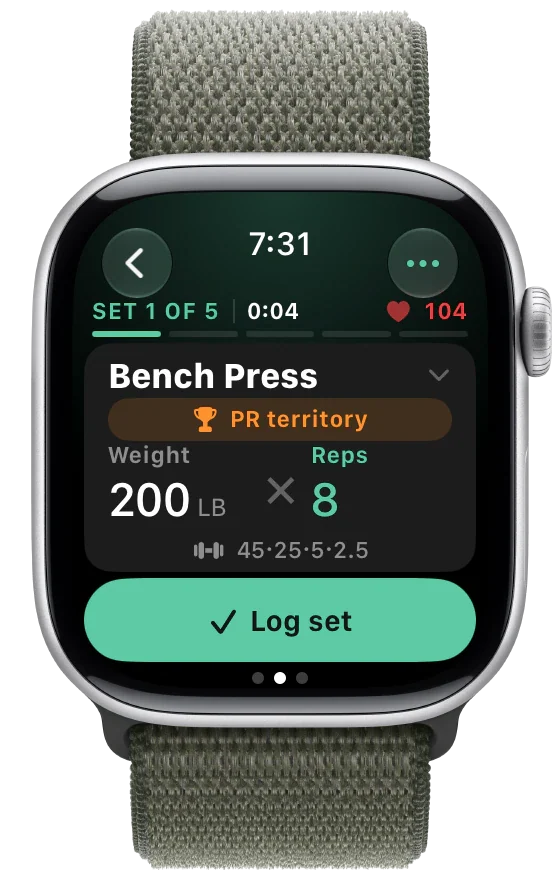 Log a set
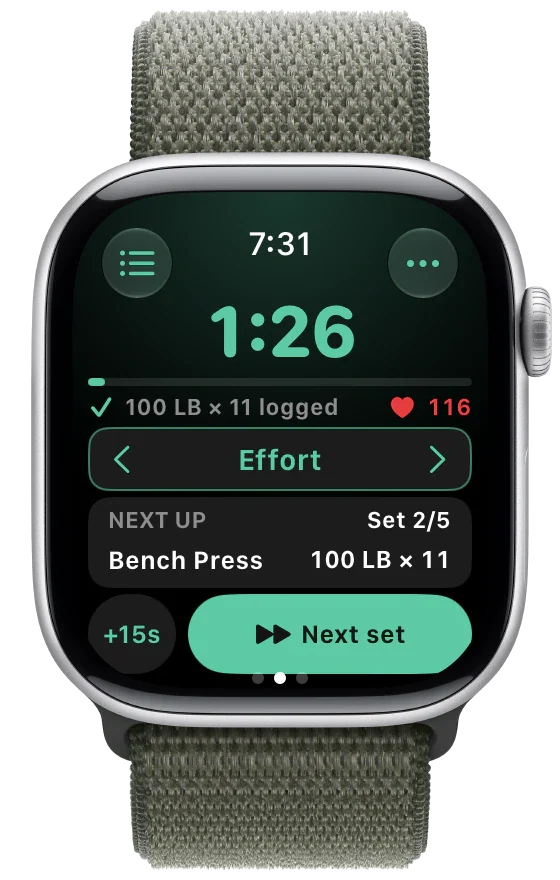 Rest & effort
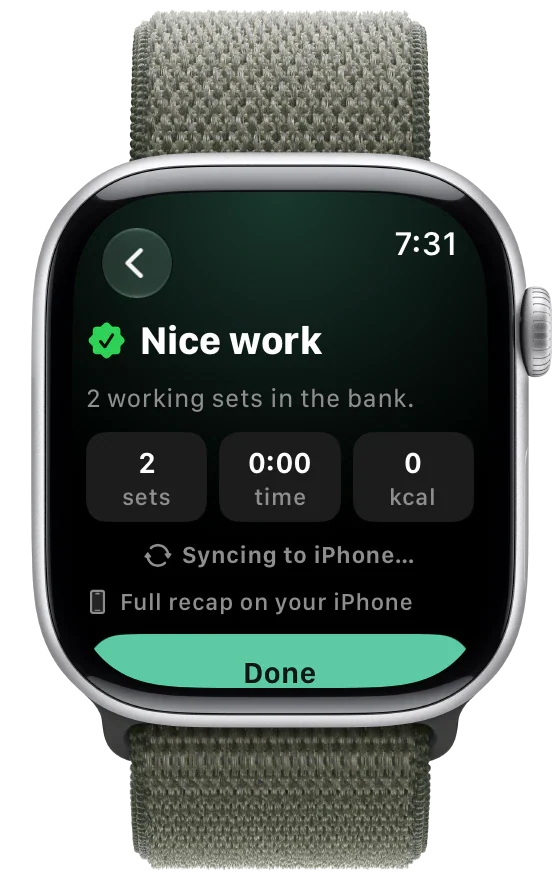 Finish & sync
06 · iPad & browser
Bigger screen? iPad and the web too.
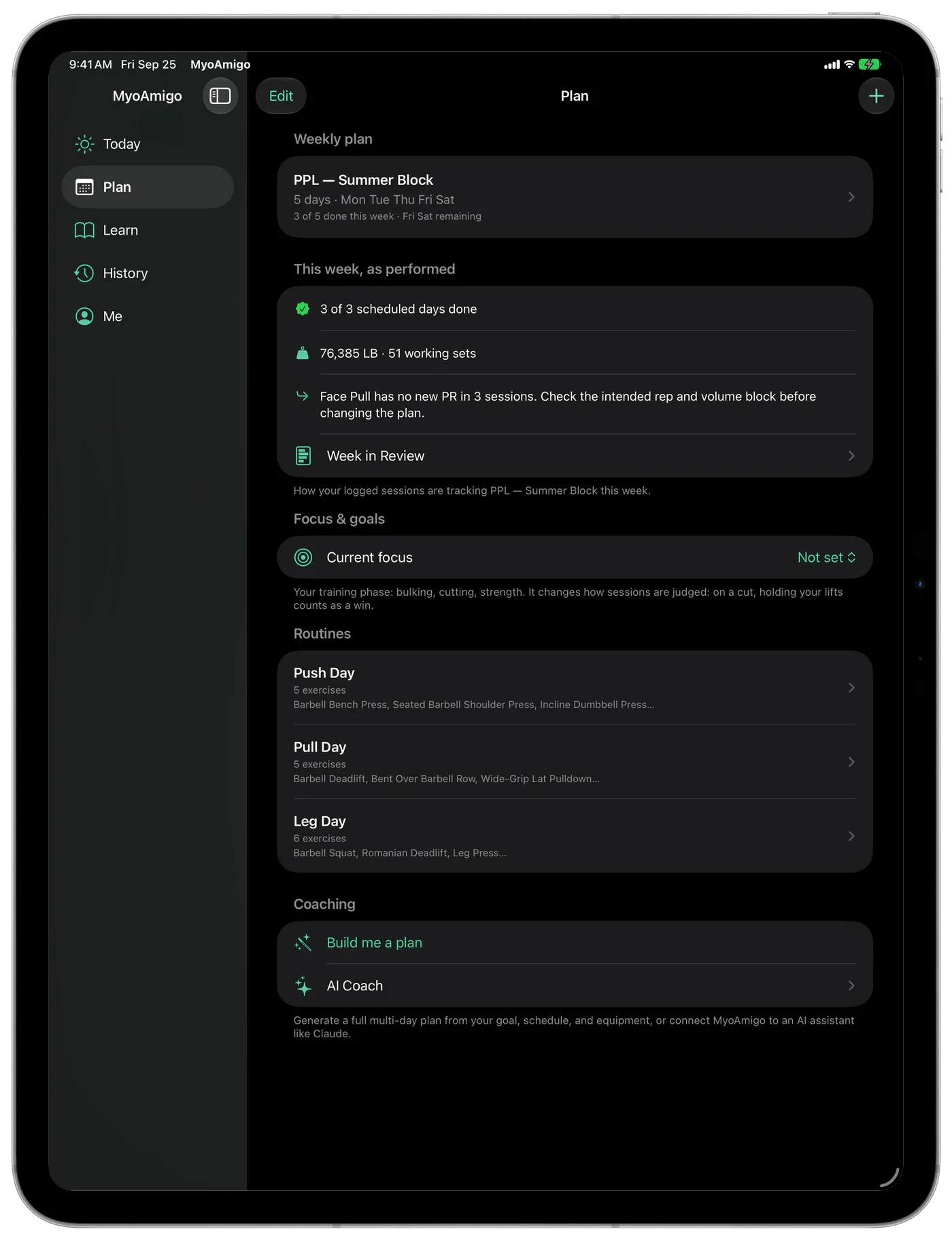
MyoAmigo runs natively on iPad, and also in your browser, live at app.myoamigo.com. Sign in with Apple and the whole loop is there — start today's session, generate a plan, log sets, and read your history. The same account and the same data sync to the iPhone and Apple Watch app.
- Native on iPad — the same app, laid out for the big screen, on the same account.
- Start in seconds — Sign in with Apple, no install, on any laptop or desktop.
- The full surface — Today, plan generator, routines, history, progress, and the exercise library.
- MyoMap on the web — the same muscle heatmap and Learn guides, ported to the browser.
07 · Local-first
Yours. Offline. Always.
MyoAmigo works fully on-device: no account required, no signal required. Sync is optional, and there isn't a single ad or third-party analytics SDK in the app. Connected assistants receive data only when you choose to use them. The privacy policy is short because there's not much to confess.
0ad identifiers or tracking SDKs
0third-party analytics
0uses of your data for AI training
iPhone · Apple Watch · Web · out now
Meet your new
Meet your new
training amigo.
MyoAmigo is on the App Store — free to log, sync, and keep your full history forever. Prefer the browser? Train on the web →